
Lexus NX: System Diagram
Lexus NX Service Manual / Audio & Visual & Telematics / Cellular Communication / Safety Connect System / System Diagram
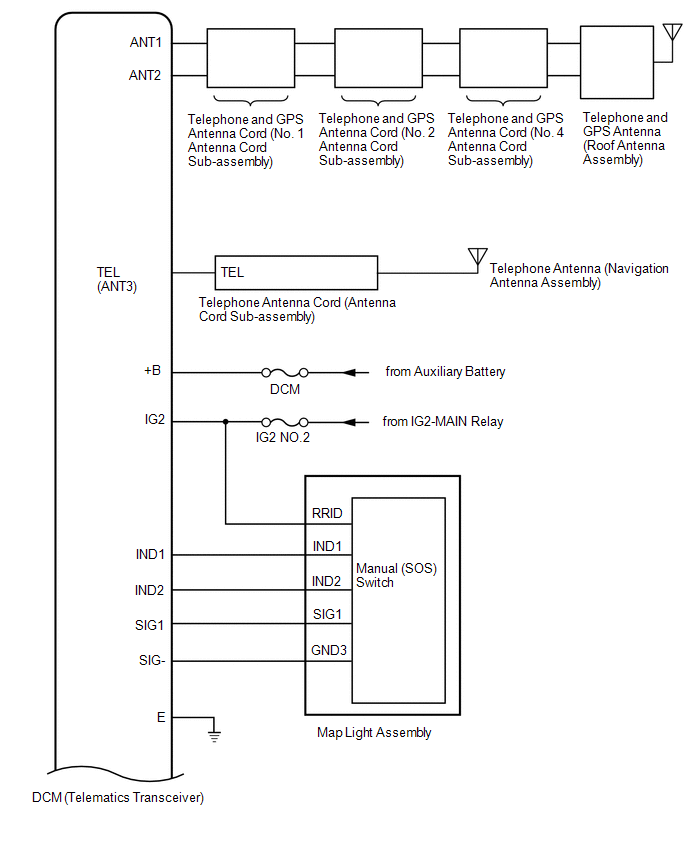
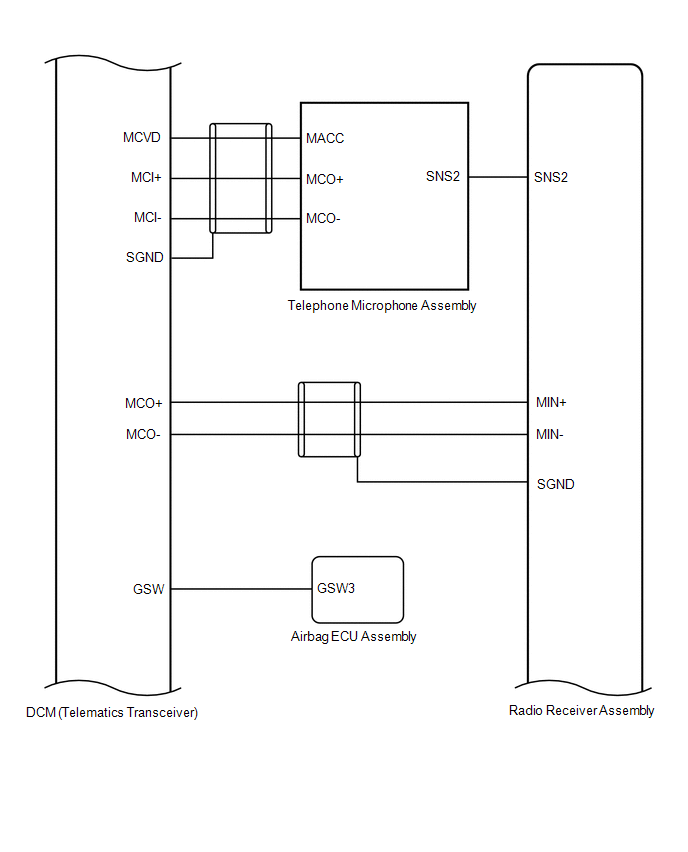
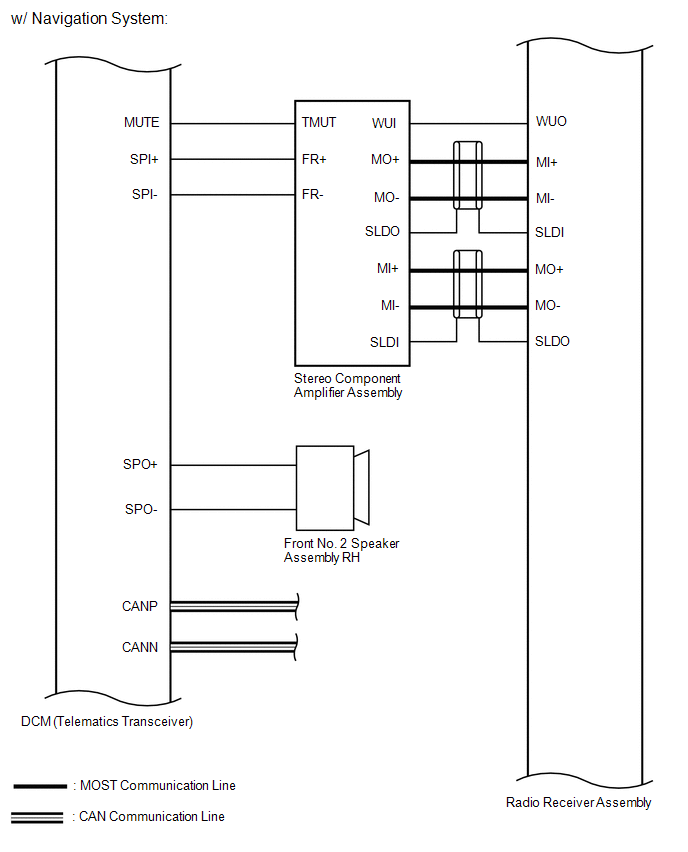
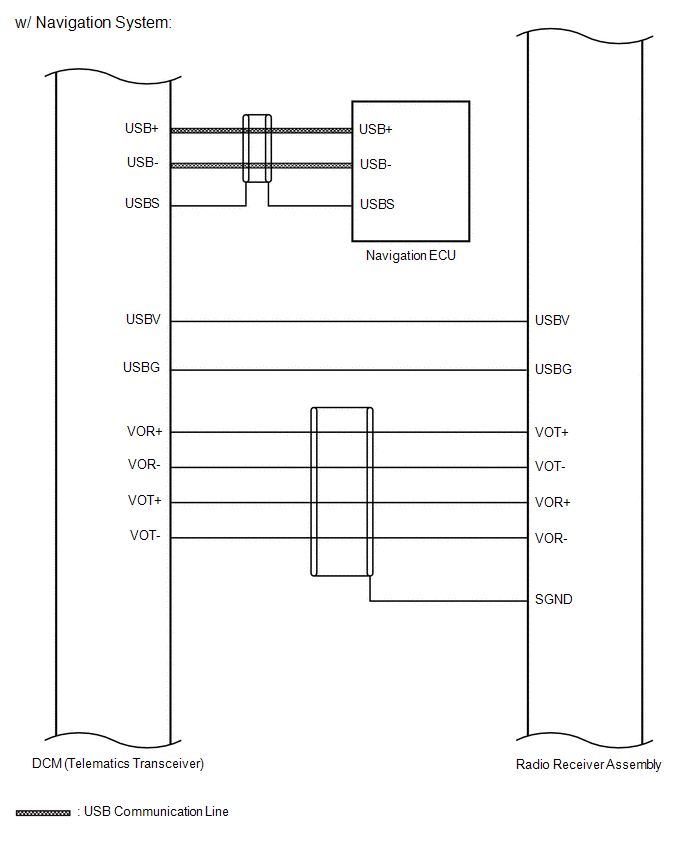
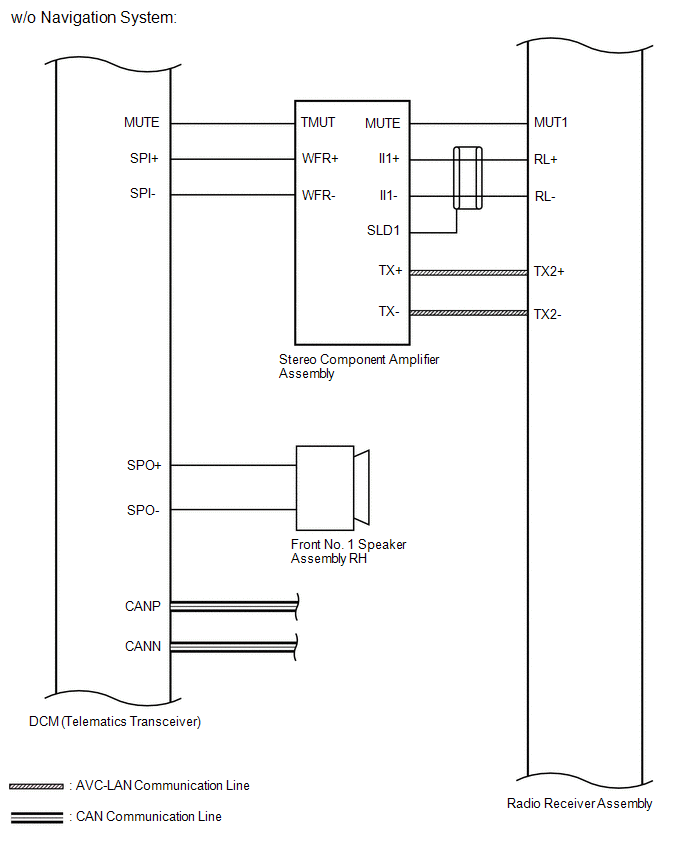
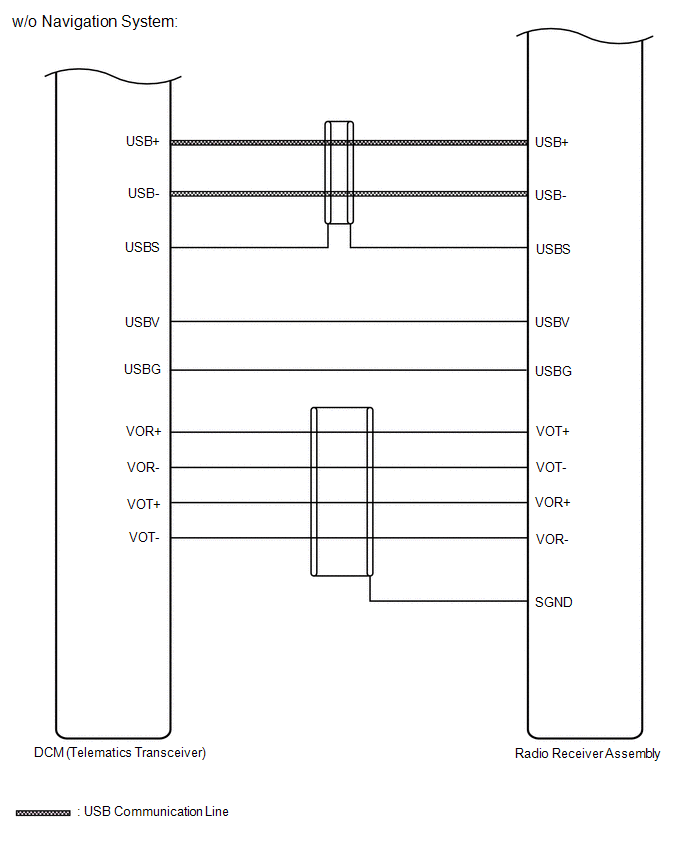
SYSTEM DIAGRAM
READ NEXT:
 System Description
SYSTEM DESCRIPTION DESCRIPTION (a) Safety Connect performs ACN (Automatic Collision Notification), manual emergency calling, stolen vehicle tracking and roadside assistance service, by audio and data
How To Proceed With Troubleshooting
CAUTION / NOTICE / HINT HINT:
Use the following procedure to troubleshoot the safety connect system.
*: Use the Techstream.
PROCEDURE 1. VEHICLE BROUGHT TO WORKSHOP
NEXT
Dcm Operation History
DCM OPERATION HISTORY HINT:
This function shows the telematics network status when the DCM (telematics transceiver) was operated. Use this when no DTC is present but this telematics system was unab
SEE MORE:
System Diagram
SYSTEM DIAGRAM Tail, Stop, Headlight Circuit Turn Signal Circuit
Installation
INSTALLATION PROCEDURE 1. INSTALL NO. 4 ANTENNA CORD SUB-ASSEMBLY (a) Attach the 2 clamps and guide to install the No. 4 antenna cord sub-assembly. (b) Install the bolt and attach the 2 clamps to install the washer hose. (c) Connect each connector. 2. INSTALL NO. 2 ANTENNA CORD SUB-ASSEMBLY (a) When
© 2016-2026 Copyright www.lexunx.com
