
Lexus NX: System Diagram
Lexus NX Service Manual / Vehicle Exterior / Lighting (ext) / Lighting System (for Triple Beam Headlight) / System Diagram
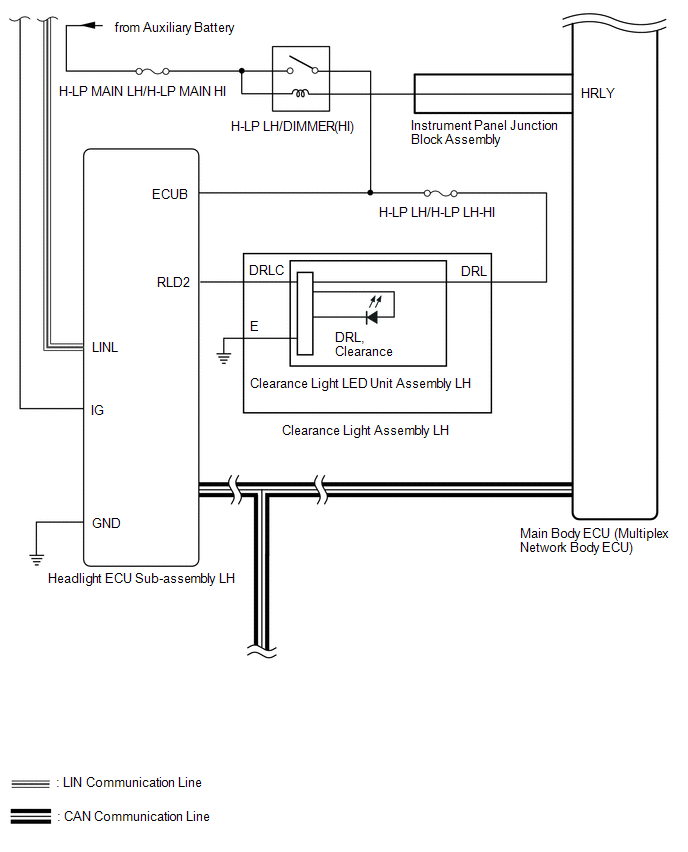
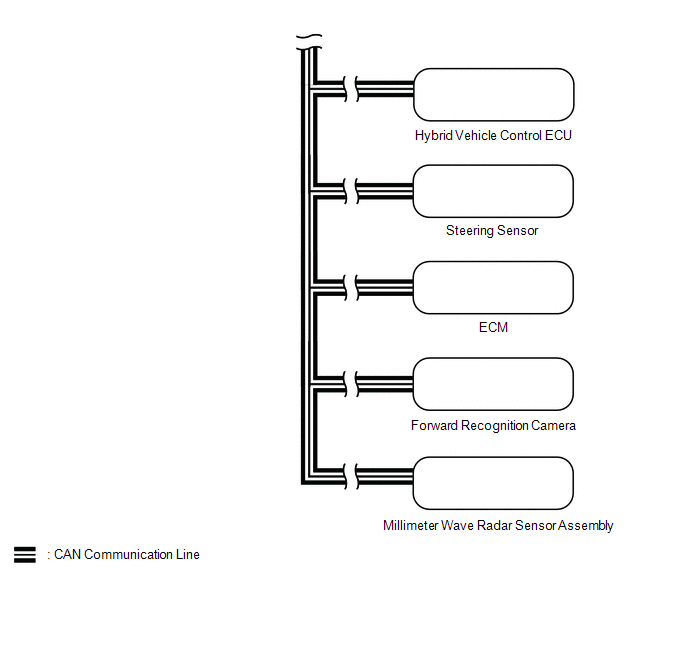
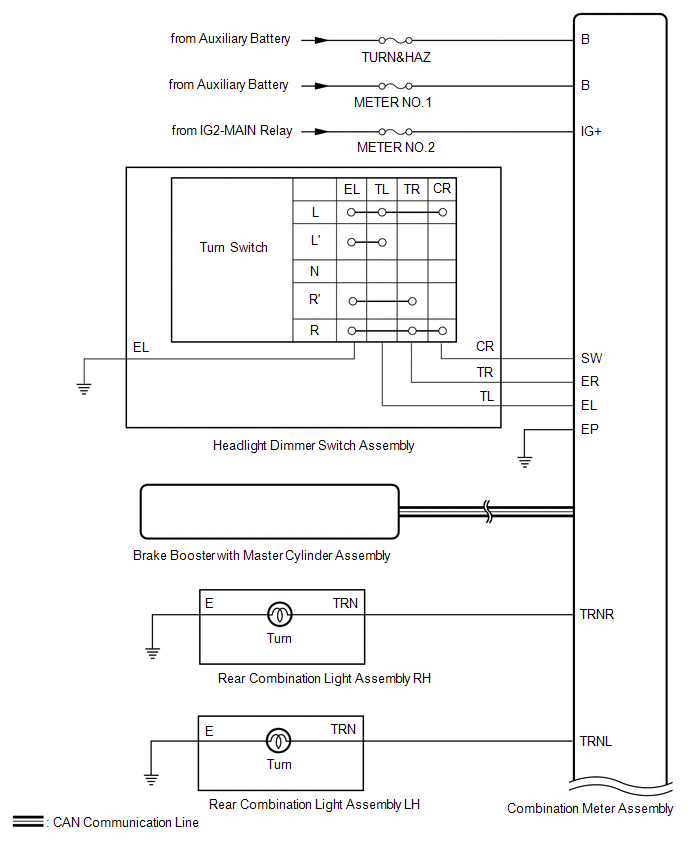
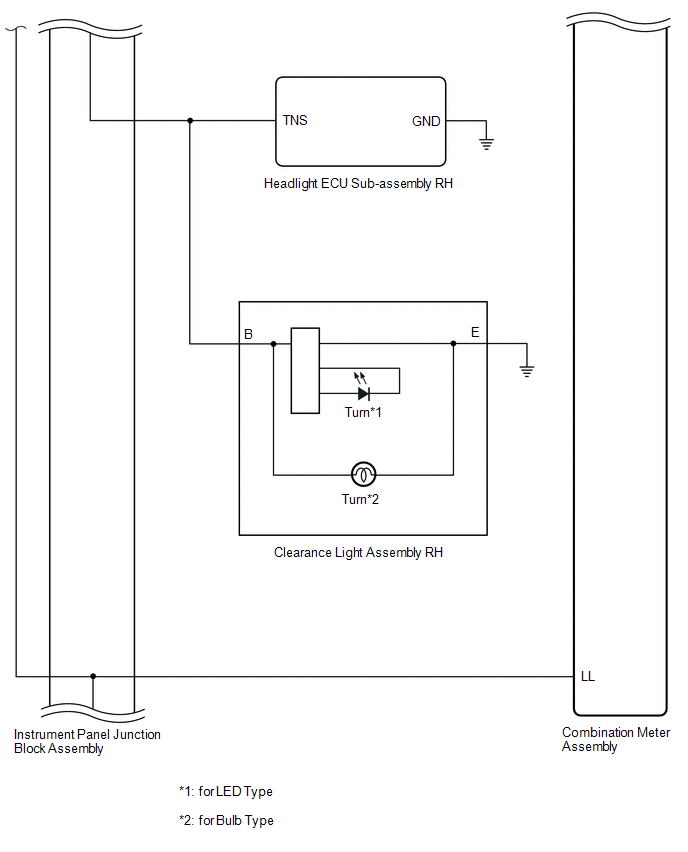
SYSTEM DIAGRAM
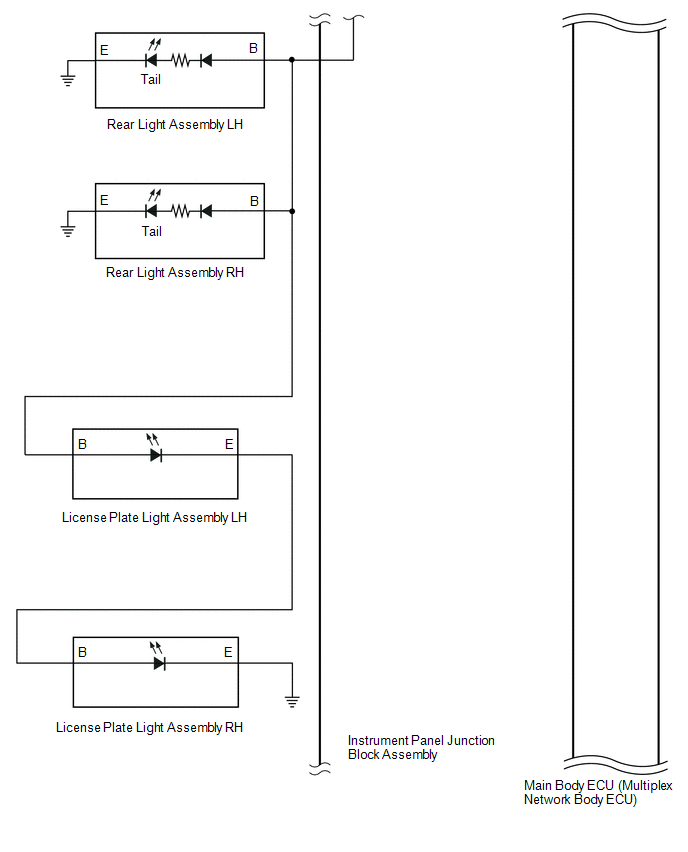
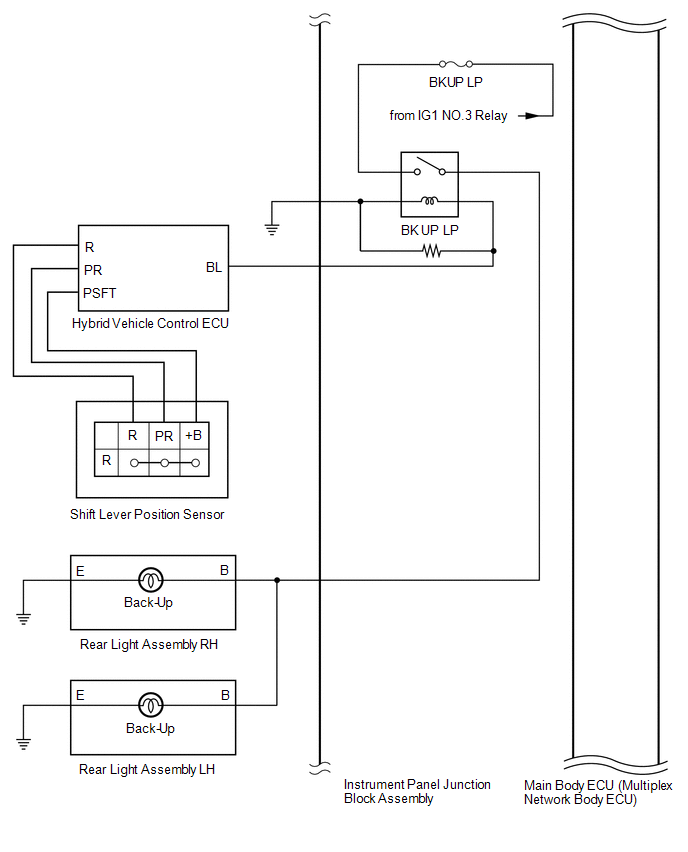
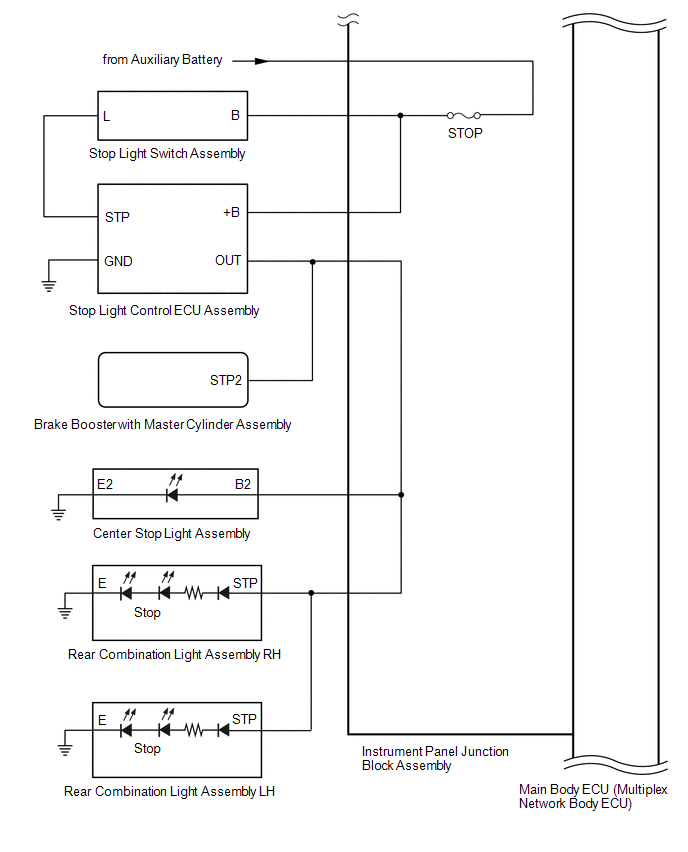
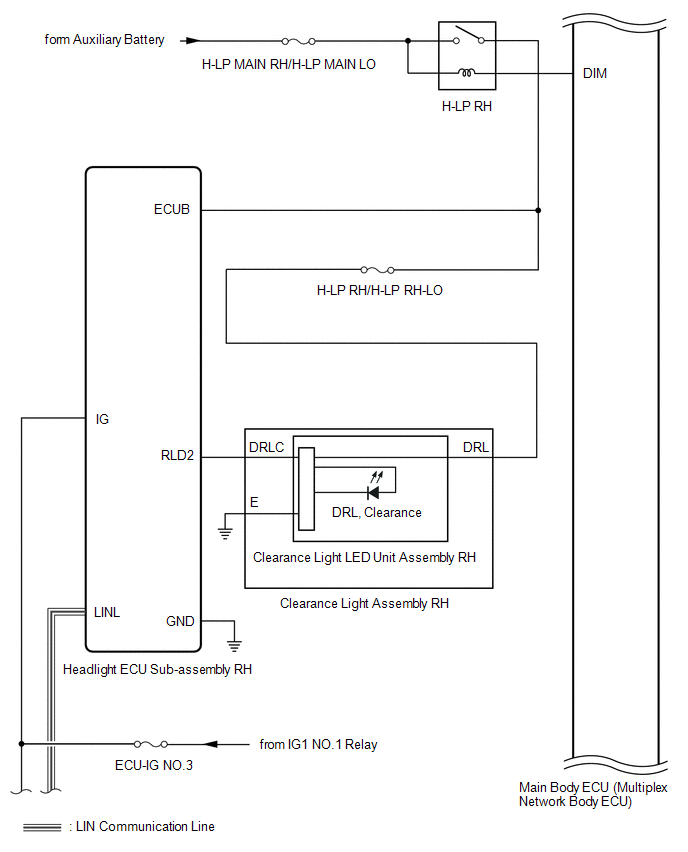
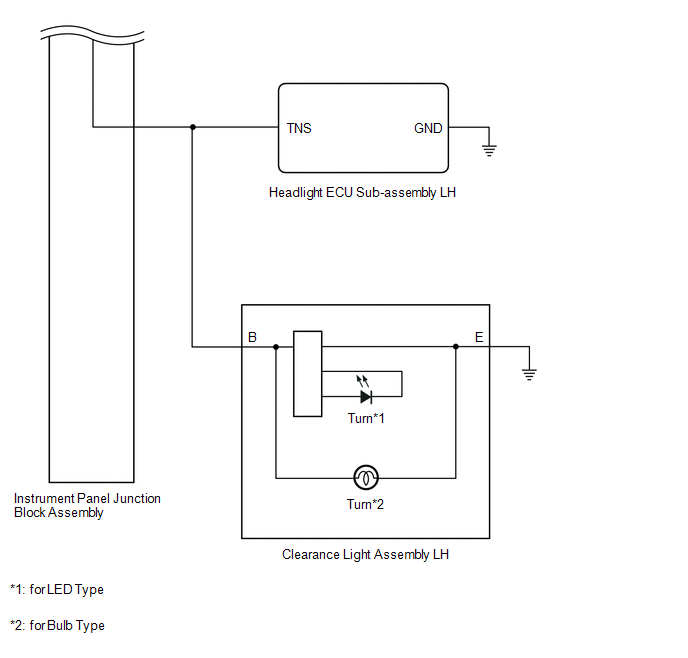
Tail, Stop, Headlight Circuit
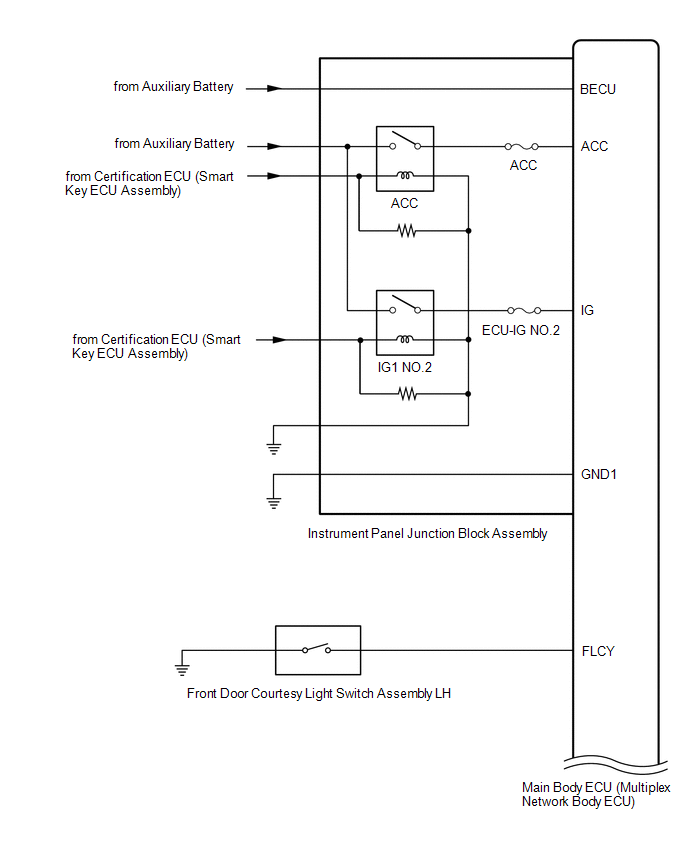
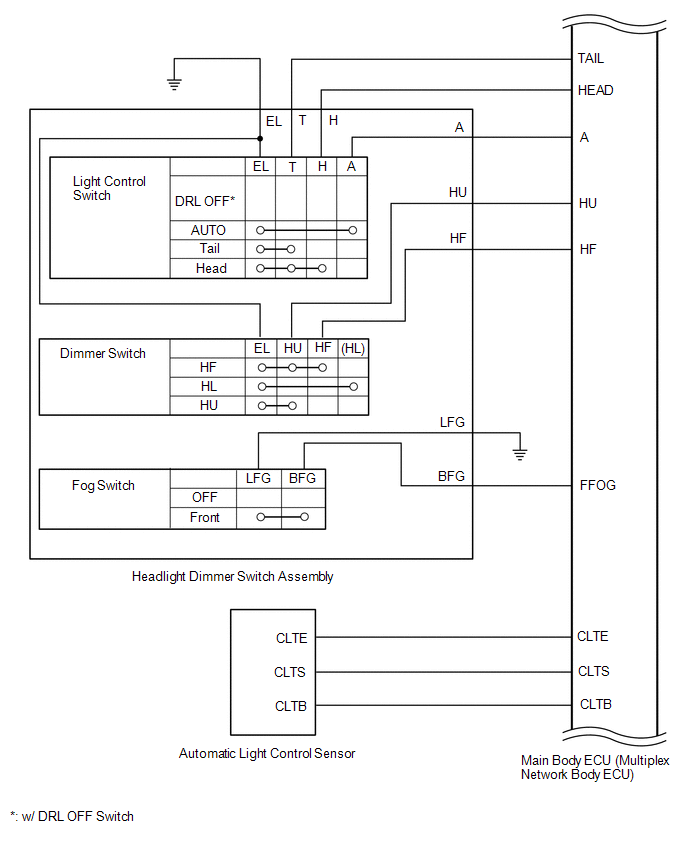
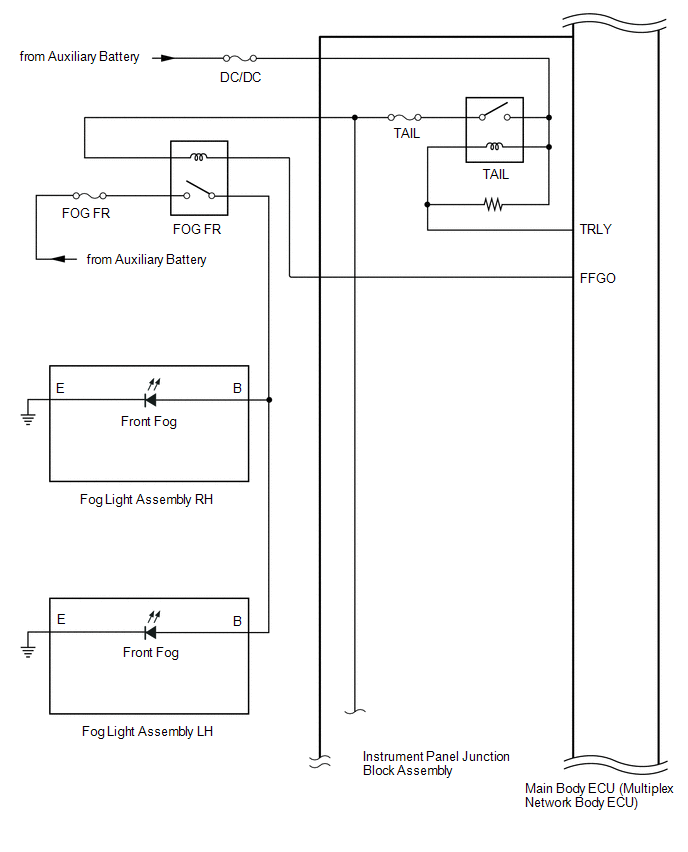
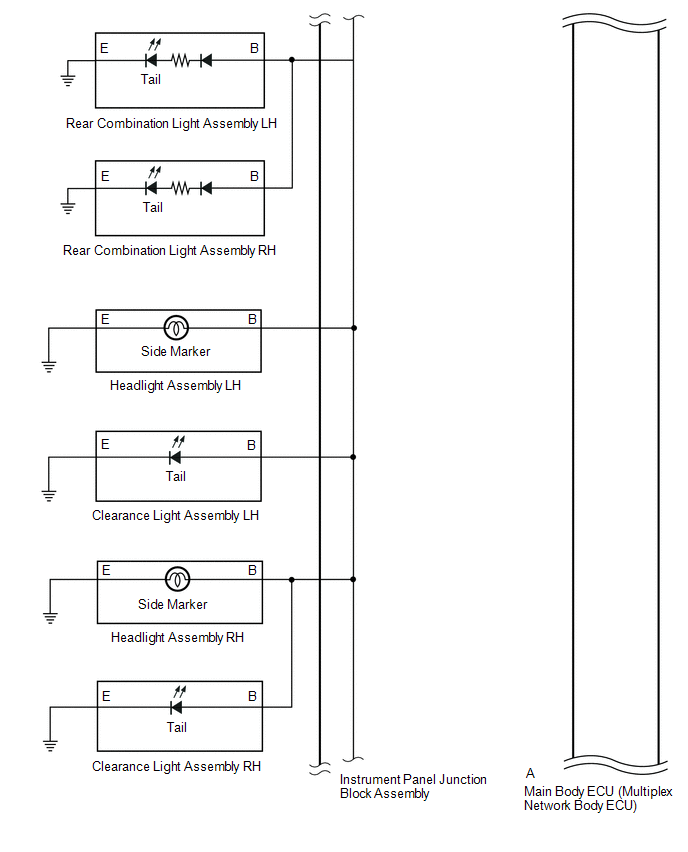
Turn Signal Circuit
.png)
.png)
READ NEXT:
 System Description
SYSTEM DESCRIPTION AUTOMATIC LIGHT CONTROL SYSTEM (a) When the headlight dimmer switch is in the AUTO position, the automatic light control system detects ambient light levels and controls the headlig
How To Proceed With Troubleshooting
CAUTION / NOTICE / HINT HINT:
Use the following procedure to troubleshoot the lighting system.
*: Use the Techstream.
PROCEDURE 1. VEHICLE BROUGHT TO WORKSHOP
NEXT
Operation Check
OPERATION CHECK AUTOMATIC LIGHT CONTROL SYSTEM OPERATION CHECK (a) Turn the power switch on (IG). (b) Turn the headlight dimmer switch to the AUTO position. (c) Cover the automatic light control senso
SEE MORE:
Lost Communication with EMV (B1321)
DESCRIPTION DTC No. Detection Item DTC Detection Condition Trouble Area Memory B1321 Lost Communication with EMV
DTC Detection Condition: IG+ voltage 9.5 to 11.5 V or higher
Malfunction Status: Lost communication with radio receiver assembly
Malfunction Duration: 30 seconds
Auto Up Operation does not Fully Close Power Window (Jam Protection Function is Activated)
DESCRIPTION If a door glass or a power window regulator motor assembly does not operate smoothly, the jam protection function may be triggered automatically, resulting in the auto up operation being unable to fully close the window. CAUTION / NOTICE / HINT NOTICE:
If a power window regulator moto
© 2016-2026 Copyright www.lexunx.com
