
Lexus NX: Steering Angle Sensor
Components
COMPONENTS
ILLUSTRATION
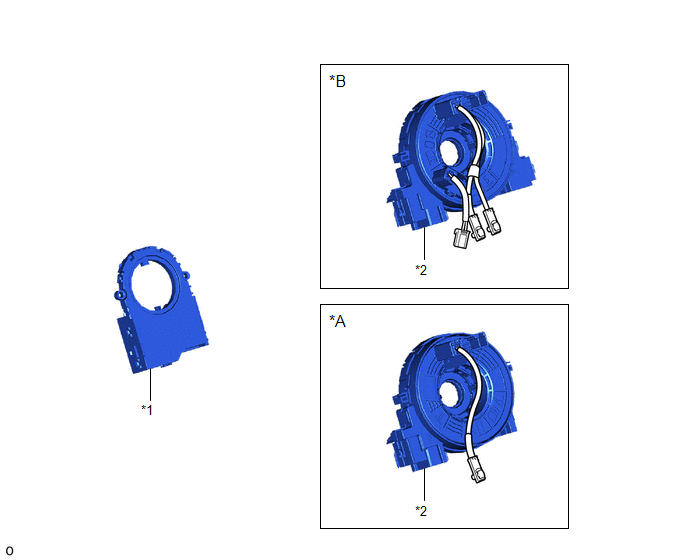
| *A | w/o Steering Heater | *B | w/ Steering Heater |
| *1 | STEERING SENSOR | *2 | SPIRAL CABLE SUB-ASSEMBLY |
Removal
REMOVAL
PROCEDURE
1. REMOVE SPIRAL W/SENSOR CABLE SUB-ASSEMBLY
Click here .gif)
2. REMOVE STEERING SENSOR
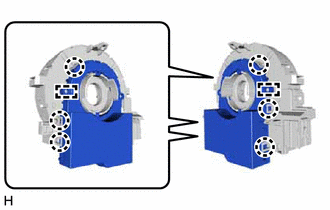
| (a) Disengage the 6 claws and 2 pins, and remove the steering sensor from the spiral cable sub-assembly. NOTICE: Do not damage the claws and pins of the spiral cable sub-assembly. |
|
Installation
INSTALLATION
PROCEDURE
1. INSTALL STEERING SENSOR
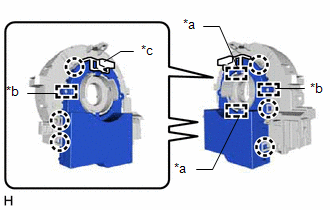
| (a) Align the 2 pins and 2 guides, and engage the 6 claws to install the steering sensor to the spiral cable sub-assembly. NOTICE:
|
|
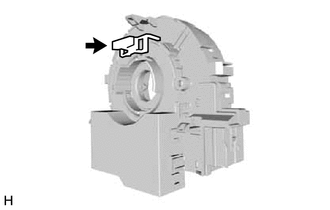
| (b) Remove the lock pin from the steering sensor. |
|
2. INSTALL SPIRAL W/SENSOR CABLE SUB-ASSEMBLY
Click here .gif)
READ NEXT:
 Components
COMPONENTS ILLUSTRATION *1 CENTER INSTRUMENT CLUSTER FINISH PANEL ASSEMBLY *2 INSTRUMENT SIDE PANEL LH *3 INSTRUMENT SIDE PANEL RH *4 LOWER NO. 1 INSTRUMENT PANEL FINISH PANEL
Removal
REMOVAL PROCEDURE 1. REMOVE CONSOLE ARMREST ASSEMBLY Click here 2. REMOVE REAR UPPER CONSOLE PANEL Click here 3. REMOVE UPPER NO. 2 CONSOLE PANEL GARNISH Click here 4. REMOVE UPPER NO. 1 C
SEE MORE:
Problem Symptoms Table
PROBLEM SYMPTOMS TABLE HINT:
Use the table below to help determine the cause of problem symptoms. If multiple suspected areas are listed, the potential causes of the symptoms are listed in order of probability in the "Suspected Area" column of the table. Check each symptom by checking the suspect
Components
COMPONENTS ILLUSTRATION *1 OIL FILTER CAP ASSEMBLY *2 O-RING *3 GASKET *4 OIL PAN DRAIN PLUG *5 OIL FILTER ELEMENT *6 OIL FILTER DRAIN PLUG *7 OIL FILLER CAP - - N*m (kgf*cm, ft.*lbf): Specified torque ● Non-reusable part
© 2016-2026 Copyright www.lexunx.com
