
Lexus NX: System Diagram
Lexus NX Service Manual / Audio & Visual & Telematics / Cellular Communication / Lexus Enform System / System Diagram
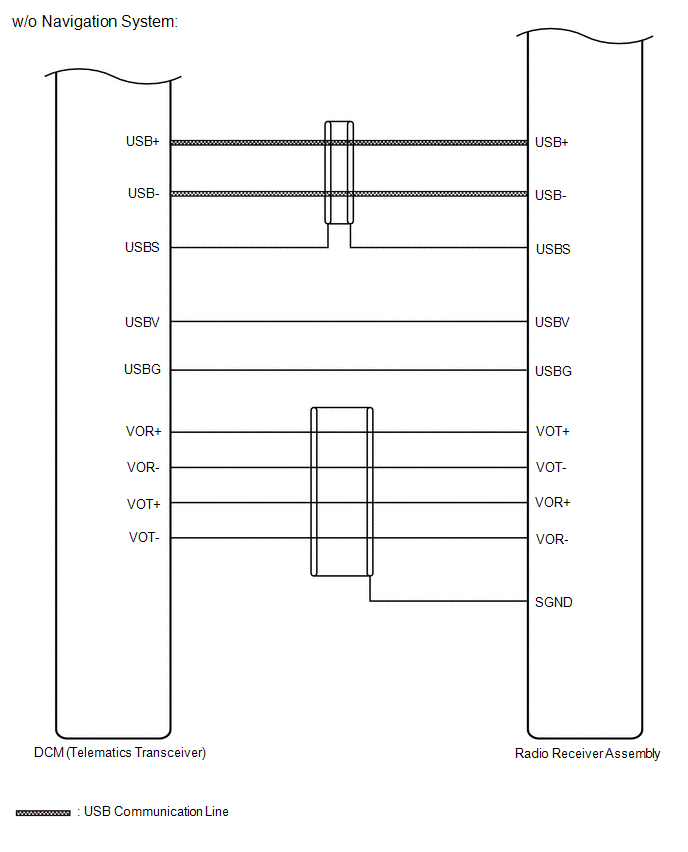
SYSTEM DIAGRAM
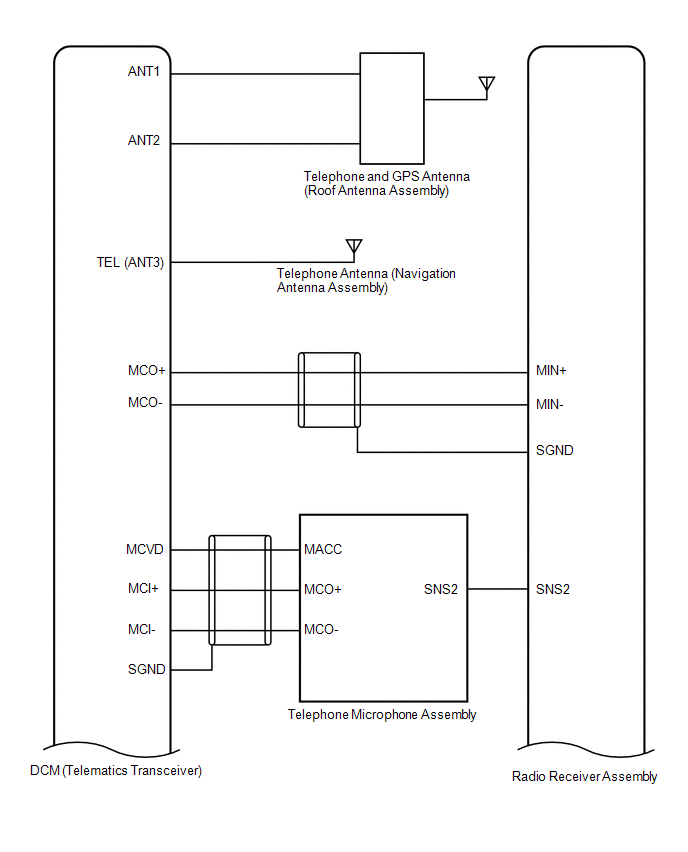
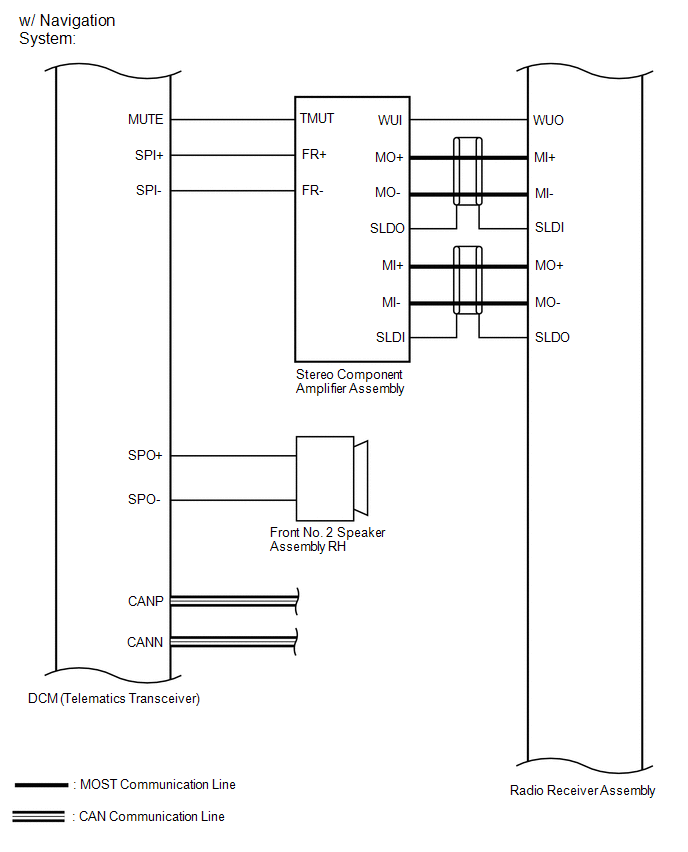
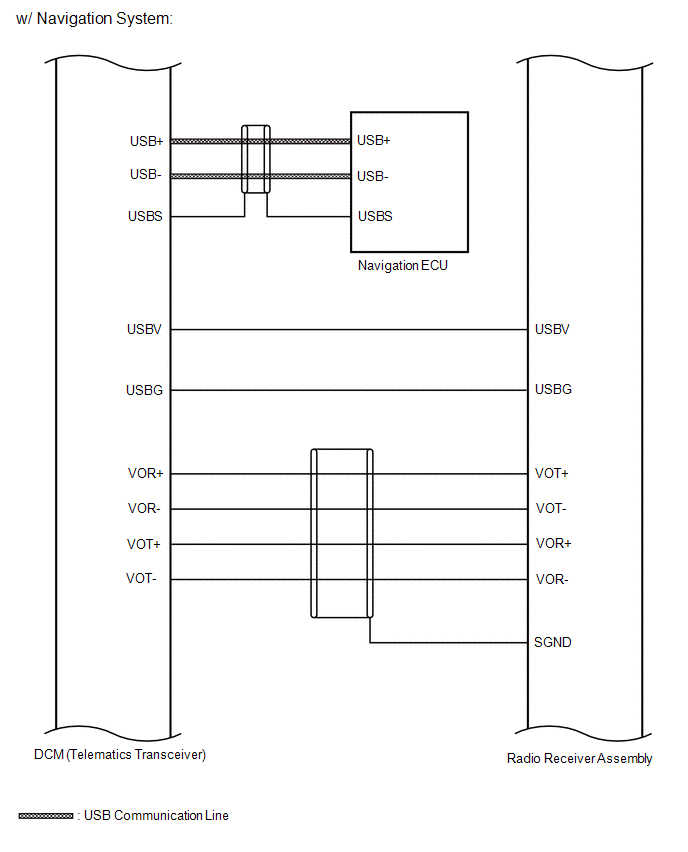
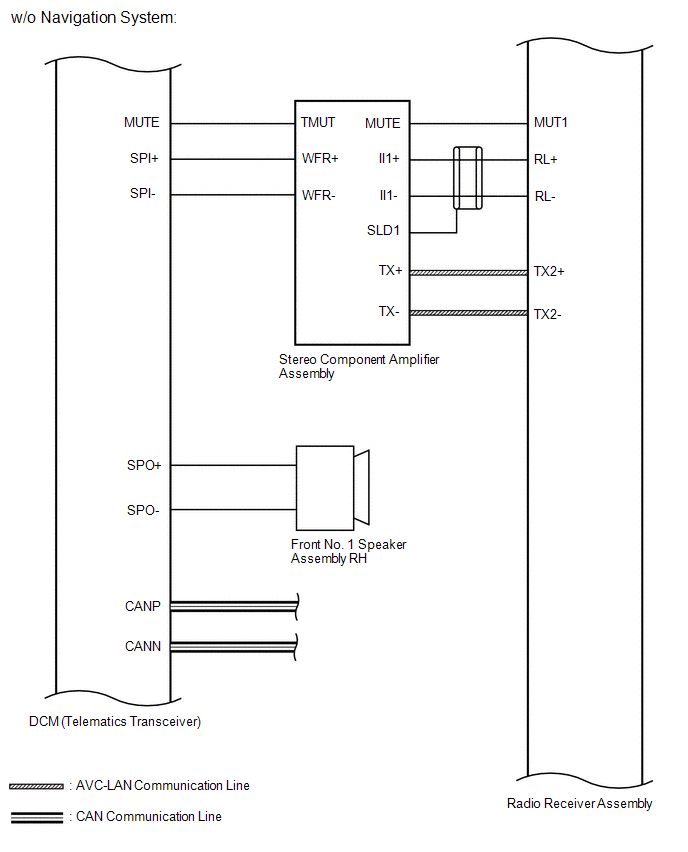
READ NEXT:
 How To Proceed With Troubleshooting
CAUTION / NOTICE / HINT HINT:
Use the following procedure to troubleshoot the LEXUS ENFORM system.
*: Use the Techstream.
PROCEDURE 1. VEHICLE BROUGHT TO WORKSHOP
NEXT
Operation Check
OPERATION CHECK NOTICE: When using both Fleet Apps and Infotainment Apps together at the same time, it is not possible to remove only one type of app. By using "Delete all personal data from the head
Problem Symptoms Table
PROBLEM SYMPTOMS TABLE NOTICE:
After replacing the radio receiver assembly of vehicles subscribed to pay-type satellite radio broadcasts, registration of the XM radio ID is necessary (w/ SXM System
SEE MORE:
System Diagram
SYSTEM DIAGRAM Communication Table Sender Receiver Signal Line Clearance Warning ECU Assembly Combination Meter Assembly
Sonar information signal
Control status signal
CAN Communication Line ECM Clearance Warning ECU Assembly Engine speed signal CAN Communicati
Diagnostic Trouble Code Chart
DIAGNOSTIC TROUBLE CODE CHART Audio and Visual System DTC No. Detection Item Link B1323 Lost Communication with Haptic Device B1324 Lost Communication with Meter B1325 Lost Communication with HUD B1326 Lost Communication with Clock Device (Local-CAN)
© 2016-2026 Copyright www.lexunx.com
