
Lexus NX: Theft deterrent system
Immobilizer system
The vehicle's keys have built-in transponder chips that prevent the hybrid system from starting if a key has not been previously registered in the vehicle's on-board computer.
Never leave the keys inside the vehicle when you leave the vehicle.
This system is designed to help prevent vehicle theft but does not guarantee absolute security against all vehicle thefts.
Operating the system
The indicator light flashes after the power switch has been turned off to indicate that the system is operating.
The indicator light stops flashing after the power switch has been turned to ACCESSORY or ON mode to indicate that the system has been canceled.
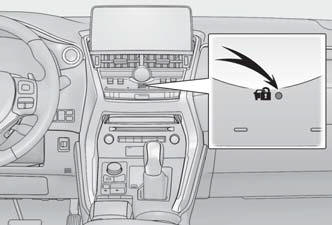
■System maintenance The vehicle has a maintenance-free type immobilizer system.
■Conditions that may cause the system to malfunction
- If the grip portion of the key is in contact with a metallic object
- If the key is in close proximity to or touching a key registered to the security system (key with a built-in transponder chip) of another vehicle
Alarm
The alarm uses light and sound to give an alert when an intrusion is detected.
The alarm is triggered in the following situations when the alarm is set:
- A locked door is unlocked or opened in any way other than using the entry function, wireless remote control or mechanical key. (The doors will lock again automatically.)
- The hood is opened.
Setting/canceling/stopping the alarm system
■ Items to check before locking the vehicle To prevent unexpected triggering of the alarm and vehicle theft, make sure of the following:
- Nobody is in the vehicle.
- The windows and moon roof (if equipped) are closed before the alarm is set.
- No valuables or other personal items are left in the vehicle.
■ Setting Close the doors and hood, and lock all the doors. The system will be set automatically after 30 seconds.
The indicator light changes from being on to flashing when the system is set.
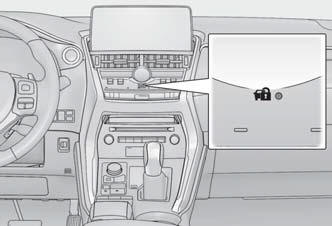
■ Canceling or stopping Do one of the following to deactivate or stop the alarms:
- Unlock the doors.
- Turn the power switch to ACCESSORY or ON mode, or start the hybrid system. (The alarm will be deactivated or stopped after a few seconds.)
■System maintenance The vehicle has a maintenance-free type alarm system.
■Triggering of the alarm The alarm may be triggered in the following situations: (Stopping the alarm deactivates the alarm system.)
- A person inside the vehicle opens a door or hood, or unlocks the vehicle using an inside lock button.
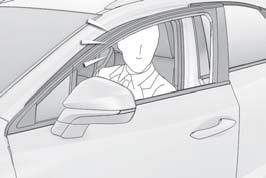
- The 12-volt battery is recharged or replaced when the vehicle is locked.
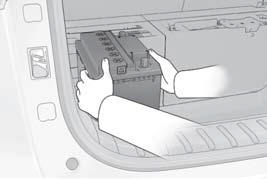
■Alarm-operated door lock In the following cases, depending on the situation, the door may automatically lock to prevent improper entry into the vehicle:
- When a person remaining in the vehicle unlocks the door and the alarm is activated.
- While the alarm is activated, a person remaining in the vehicle unlocks the door.
- When recharging or replacing the 12-volt battery.
NOTICE
■To ensure the system operates correctly Do not modify or remove the system. If modified or removed, the proper operation of the system cannot be guaranteed.
READ NEXT:
 Warning lights and indicators
The warning lights and indicators inform the driver of the status of
the vehicle's
various systems.
Instrument cluster
For the purpose of explanation, the following illustration displays all
wa
Gauges and meters
The meters display various drive information.
Meter display
When driving mode is in other than Sport mode
The units used on the meters may differ depending on the target region.
Engine coolan
SEE MORE:
Headlight switch
The headlights can be operated
manually or automatically.
Operating the switch turns on
the lights as follows:
Type A
The side marker, parking,
tail, license plate, instrument panel
lights, and daytime running lights turn on.
The headlights and all the
lights listed abov
Diagnostic Trouble Code Chart
DIAGNOSTIC TROUBLE CODE CHART Sliding Roof System DTC No. Detection Item Link B2341 Sensor (Motor) Failure B2342 Switch Failure B2343 Position Initialization Incomplete B2344 Position Failure
