
Lexus NX: Inspection
INSPECTION
PROCEDURE
1. INSPECT FRONT NO. 2 SPEAKER ASSEMBLY
| (a) Measure the resistance according to the value(s) in the table below. Standard Resistance: for 8 Speakers
If the result is not as specified, replace the front No. 2 speaker assembly. |
|
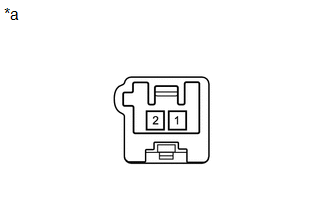
(b) When there is a malfunction such as noise from a speaker or no sound at all, replace the speaker with a new one and check that the malfunction disappears.
OK:
Malfunction disappears.
HINT:
- Connect the connectors to the front No. 2 speaker assemblies.
- When there is a possibility that either the right or left front No. 2 speaker assembly is defective, inspect by interchanging the right one with the left one.
- Perform the inspection above on both the LH and RH side.
2. INSPECT FRONT NO. 3 SPEAKER ASSEMBLY
| (a) Measure the resistance according to the value(s) in the table below. Standard Resistance: for 10 Speakers
If the result is not as specified, replace the front No. 3 speaker assembly. |
|
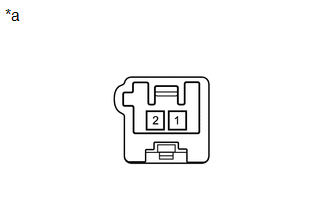
READ NEXT:
 Installation
INSTALLATION CAUTION / NOTICE / HINT HINT:
Use the same procedure for the RH and LH sides.
The procedure listed below is for the LH side.
PROCEDURE 1. INSTALL FRONT NO. 3 SPEAKER ASSEMBLY NOTI
On-vehicle Inspection
ON-VEHICLE INSPECTION PROCEDURE 1. INSPECT RADIO SETTING CONDENSER (a) With the radio setting condenser installed, check that there is no looseness or other abnormalities. (b) Measure the resistanc
SEE MORE:
Display Malfunction (B15A6,B15B0)
DESCRIPTION These DTCs are stored when a malfunction occurs in the multi-display assembly. DTC No. Detection Item DTC Detection Condition Trouble Area B15A6 Display Malfunction When one of the conditions below is met:
RAM error
Drawing controller malfunction
Internal hard dri
Linear Solenoid Valve Offset Learning undone (C1345,C1368)
DESCRIPTION The skid control ECU (brake booster with master cylinder assembly) stores and corrects the individual differences in the brake pedal stroke sensor assembly, actuator solenoids, and stroke simulator solenoid. Perform initialization and calibration of the linear solenoid valve if any of th
