
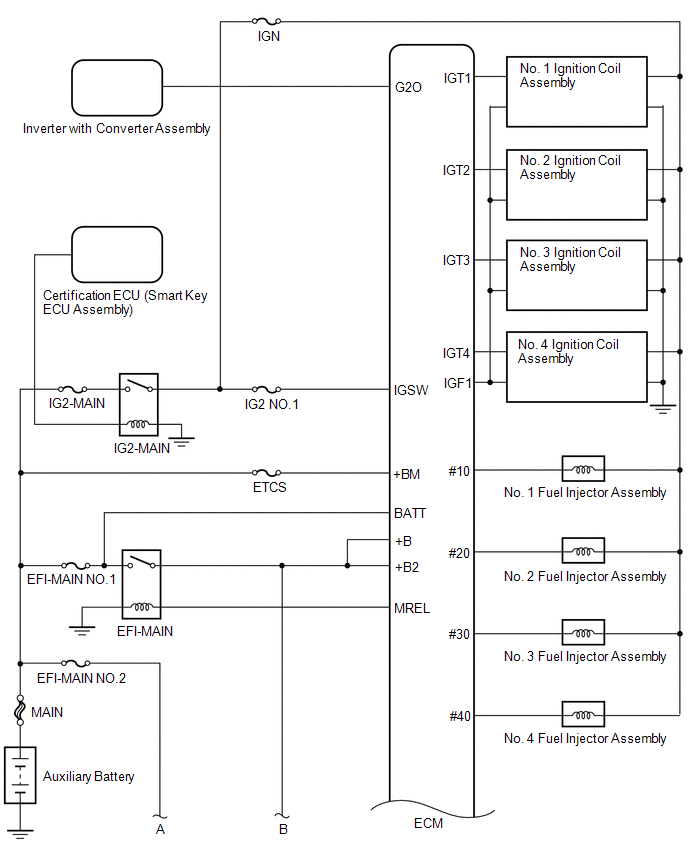
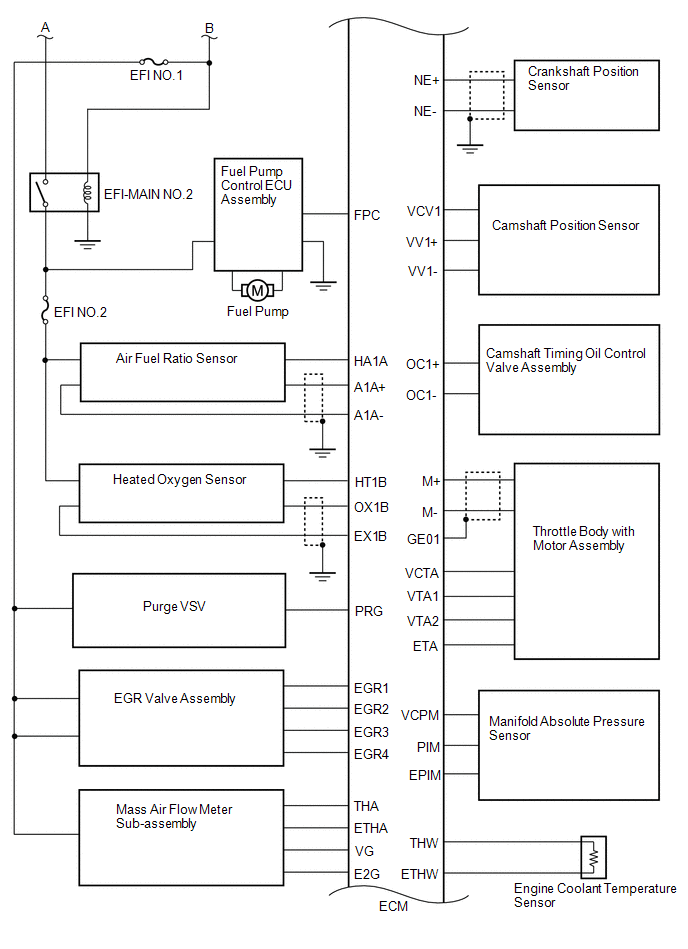
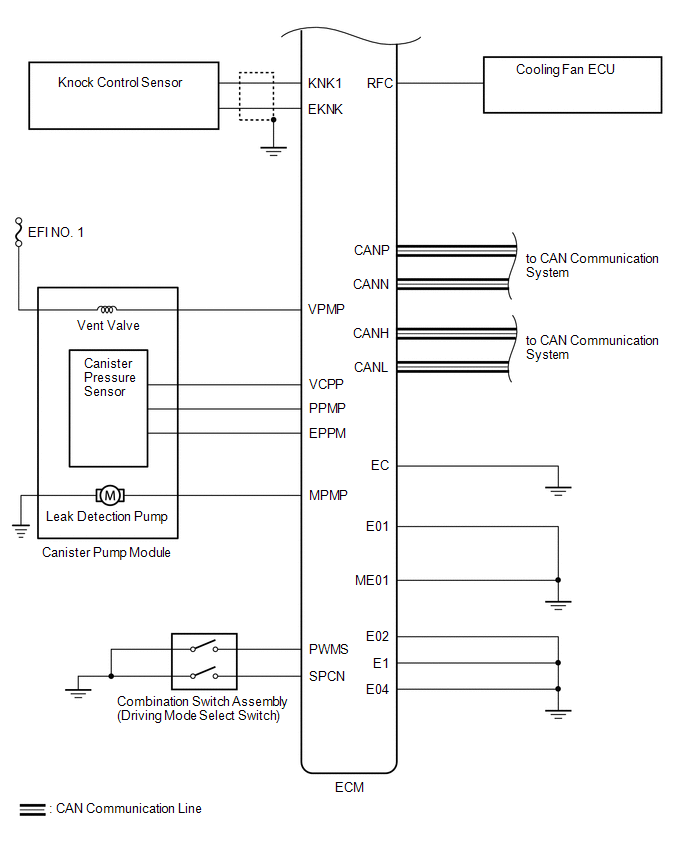
Lexus NX: System Diagram
Lexus NX Service Manual / Engine & Hybrid System / 2ar-fxe (engine Control) / Sfi System / System Diagram
SYSTEM DIAGRAM
READ NEXT:
 How To Proceed With Troubleshooting
CAUTION / NOTICE / HINT HINT: *: Use the Techstream. PROCEDURE 1. VEHICLE BROUGHT TO WORKSHOP
NEXT 2. CUSTOMER PROBLEM ANALYSIS
NEXT 3. CONNEC
Check For Intermittent Problems
CHECK FOR INTERMITTENT PROBLEMS HINT: Inspect the vehicle ECM using check mode. Intermittent problems are easier to detect with the Techstream when the ECM is in check mode. In check mode, the ECM use
Basic Inspection
CAUTION / NOTICE / HINT When a malfunction is not confirmed by the DTC check, troubleshooting should be carried out for all circuits considered to be possible causes of the problem. In many cases, by
SEE MORE:
MG-ECU Power Relay Intermittent Circuit (P324E-788)
DESCRIPTION If the MG ECU, which is built into in the inverter with converter assembly, is reset due to a problem with the power source in the inverter, the hybrid vehicle control ECU will stored this DTC. DTC No. Detection Item DTC Detection Condition Trouble Area MIL Warning Indicate
Poor Sound Quality in All Modes (Low Volume)
PROCEDURE 1. CHECK AUDIO SETTINGS (a) Set treble, middle and bass to the initial values and check that the sound is normal. OK: The sound returns to normal. HINT: Sound quality adjustment measures vary according to the type of amplifier. OK END
NG 2. COMPARE
© 2016-2026 Copyright www.lexunx.com
