
Lexus NX: System Diagram
Lexus NX Service Manual / Engine & Hybrid System / Cruise Control / Dynamic Radar Cruise Control System / System Diagram
SYSTEM DIAGRAM
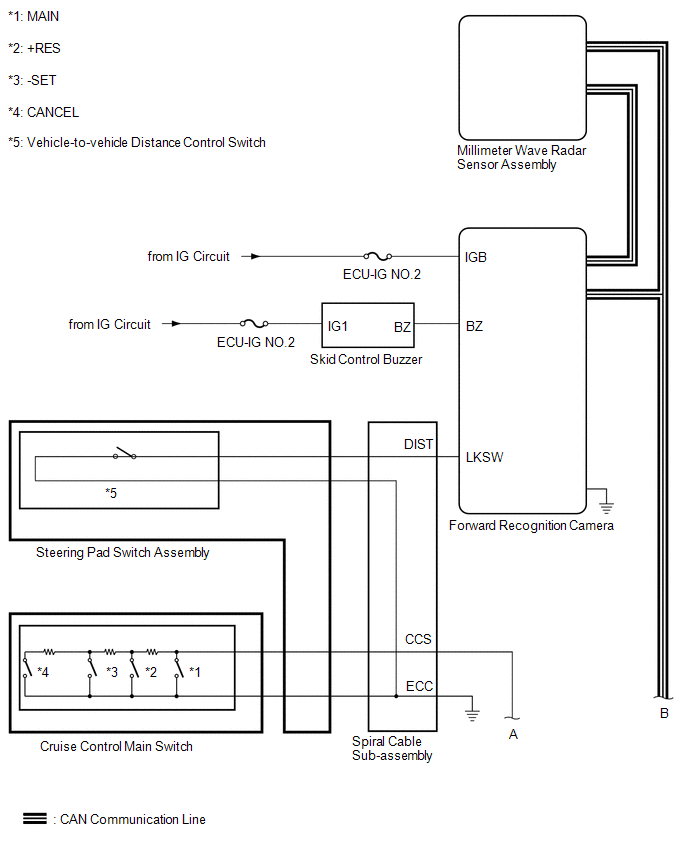
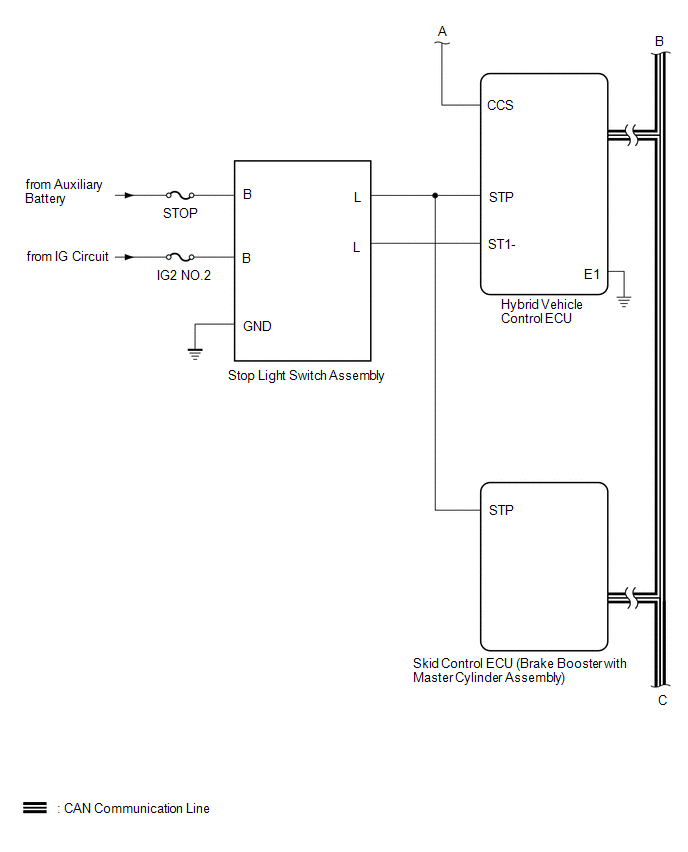
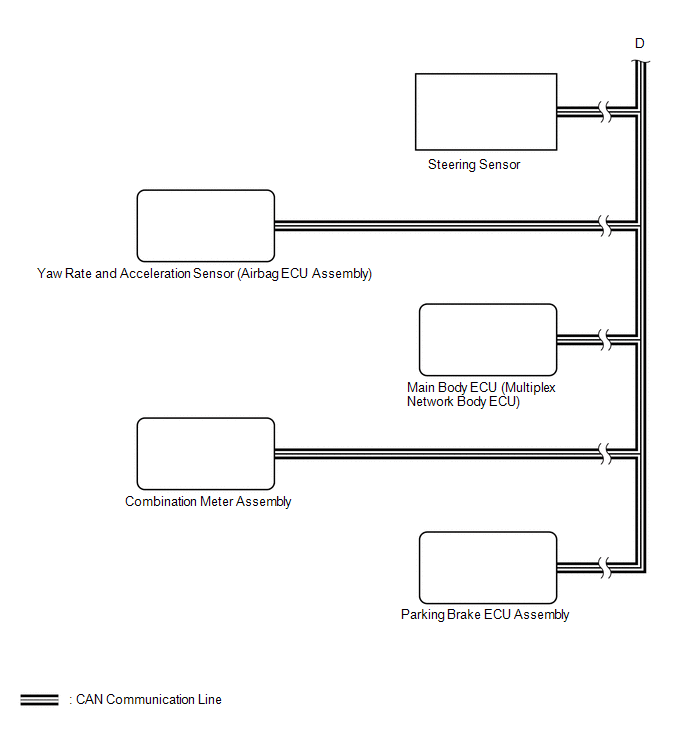
READ NEXT:
 How To Proceed With Troubleshooting
CAUTION / NOTICE / HINT HINT:
Before performing troubleshooting for the dynamic radar cruise control system, perform troubleshooting for the pre-collision system.
Click here
*: Use the Techstre
Road Test
ROAD TEST HINT:
The dynamic radar cruise control system has 2 cruise control modes: constant speed control mode and vehicle-to-vehicle distance control mode.
Vehicle-to-vehicle distance control m
Operation Check
OPERATION CHECK INPUT SIGNAL CHECK (a) Connect the Techstream to the DLC3. (b) Check the cruise control main switch using the Data List function of the Techstream (ON-OFF, -SET, +RES and CANCEL).
SEE MORE:
Lost Communication with Hybrid Vehicle Control System (U0293)
MONITOR DESCRIPTION The ECM communicates with the hybrid vehicle control ECU. When the ECM does not receive data from the hybrid vehicle control ECU, the ECM illuminates the MIL and stores a DTC. DTC No. Detection Item DTC Detection Condition Trouble Area MIL Memory U0293 Lost Com
Data List / Active Test
DATA LIST / ACTIVE TEST DATA LIST NOTICE: In the table below, the values listed under "Normal Condition" are reference values. Do not depend solely on these reference values when deciding whether a part is faulty or not. HINT: Using the Techstream to read the Data List allows the values or states of
© 2016-2026 Copyright www.lexunx.com
