
Lexus NX: System Diagram
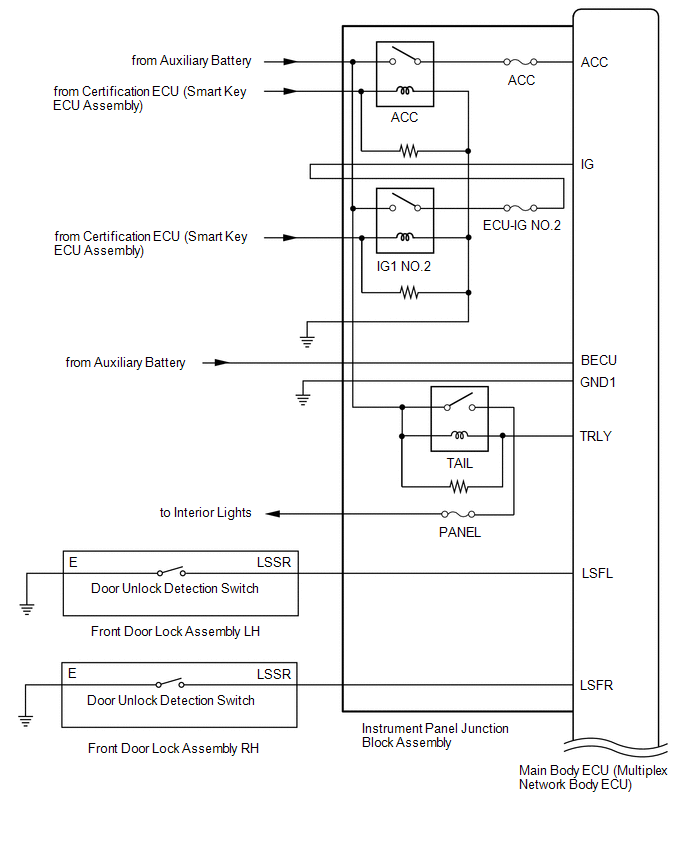
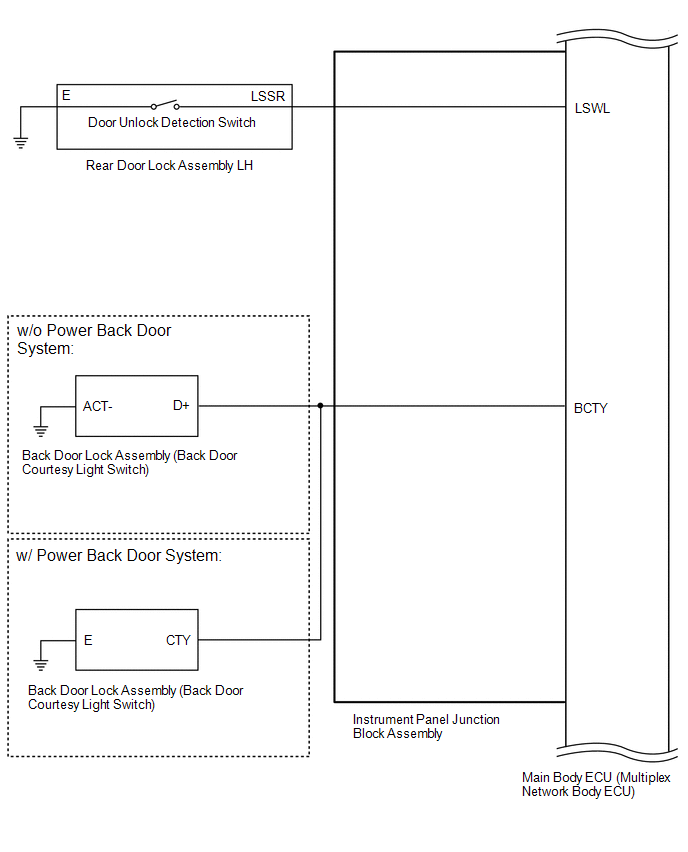
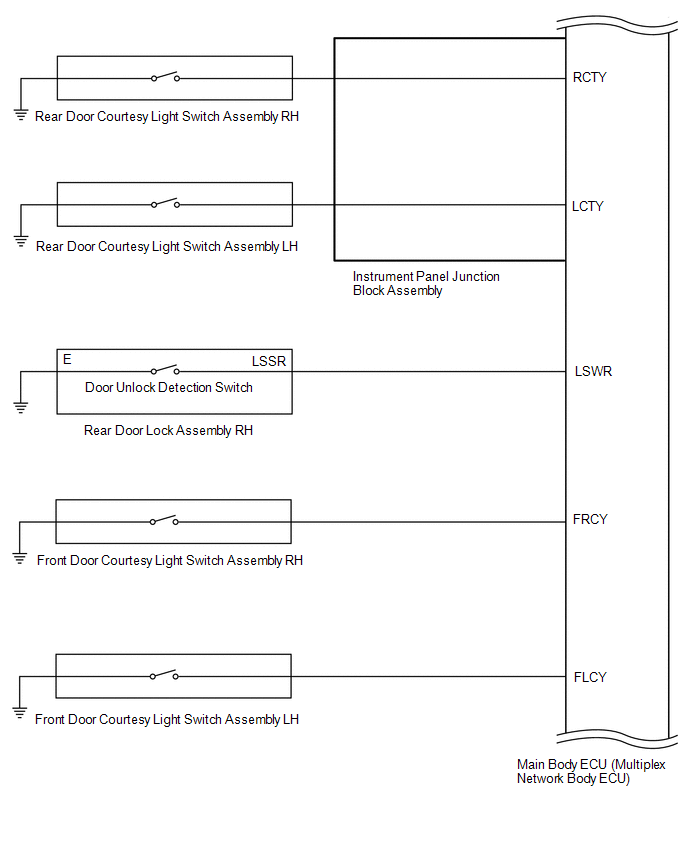
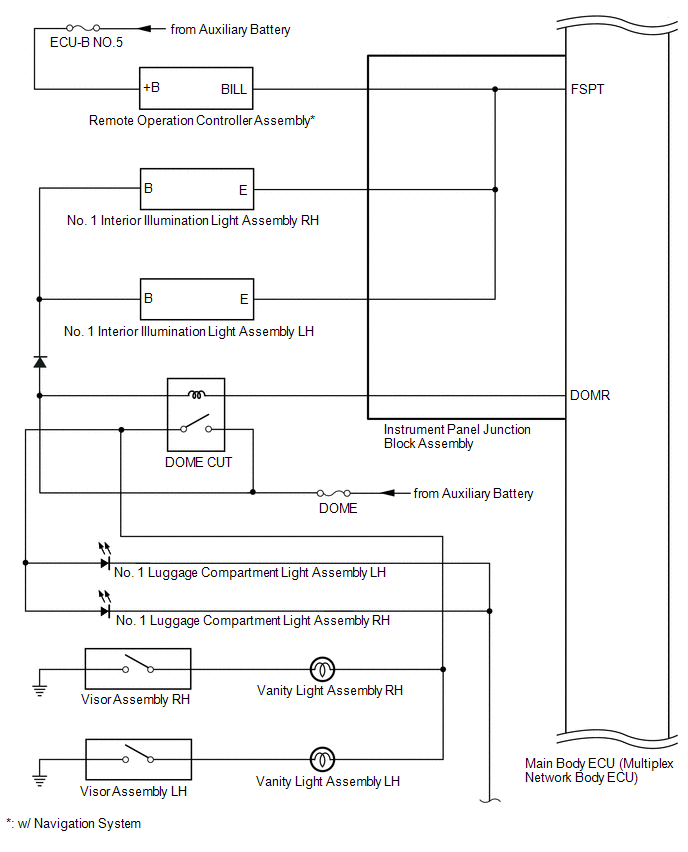
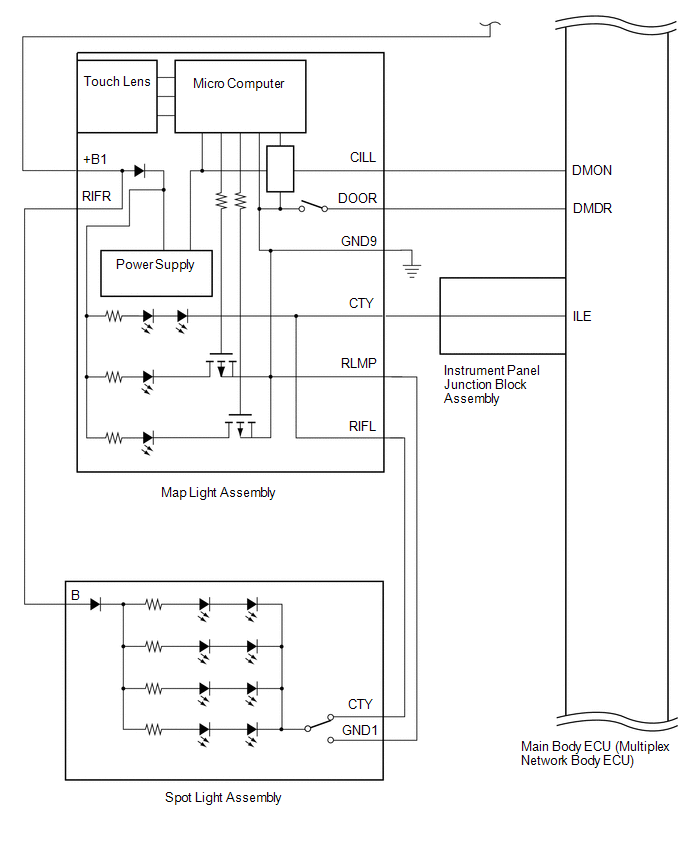
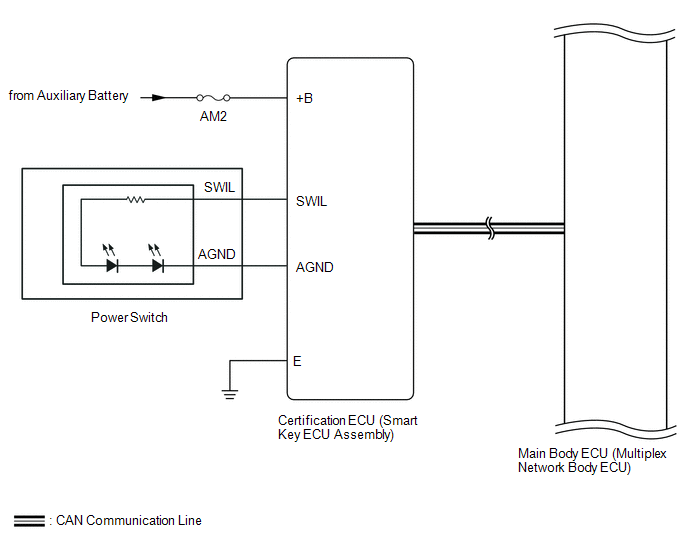
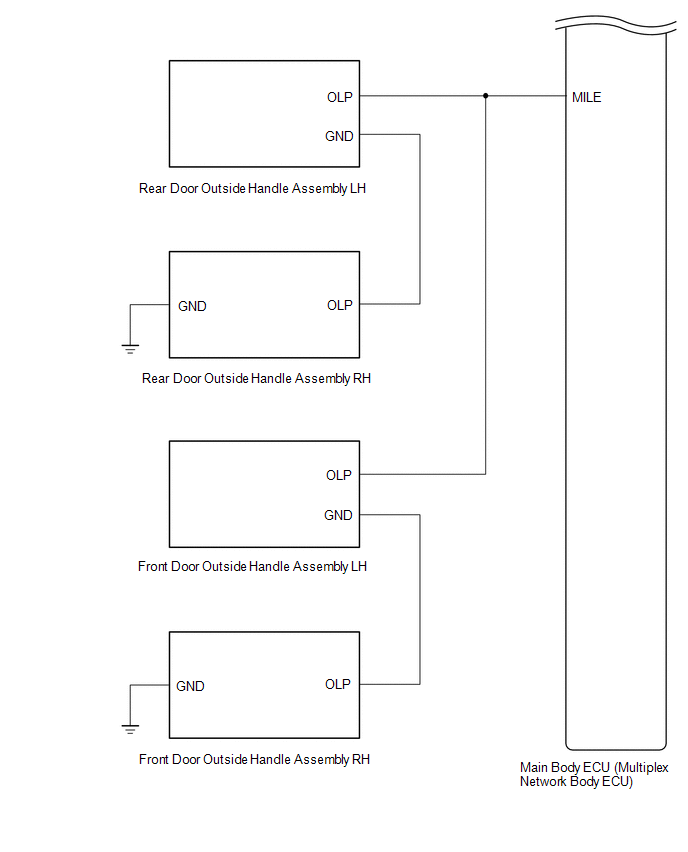
SYSTEM DIAGRAM
READ NEXT:
 System Description
SYSTEM DESCRIPTION ILLUMINATION CONTROL SYSTEM (Illuminated Entry System) HINT: When inspecting the following functions, make sure that the map light switch and spot light switch are in the DOOR posit
How To Proceed With Troubleshooting
CAUTION / NOTICE / HINT HINT:
Use the following procedure to troubleshoot the lighting system.
*: Use the Techstream.
PROCEDURE 1. VEHICLE BROUGHT TO WORKSHOP
NEXT
Operation Check
OPERATION CHECK INSPECT ILLUMINATED ENTRY SYSTEM OPERATION NOTICE: Perform this inspection with the customizable parameters set to the initial settings. HINT: When inspecting the following functions,
SEE MORE:
Error in Matching of ECUs (C1567)
DESCRIPTION Based on the ECM signal, the power steering ECU assembly determines if the correct type of ECM is installed. DTC No. Detection Item DTC Detection Condition Trouble Area Warning Indicate Return-to-normal Condition Note C1567 Error in Matching of ECUs There is a syst
Removal
REMOVAL CAUTION / NOTICE / HINT HINT:
Use the same procedure for the RH and LH sides.
The procedure listed below is for the LH side.
PROCEDURE 1. REMOVE REAR WHEEL Click here 2. REMOVE TAIL EXHAUST PIPE ASSEMBLY Click here 3. REMOVE REAR AXLE SHAFT NUT LH Click here 4. REMOVE REAR SU
© 2016-2026 Copyright www.lexunx.com
