
Lexus NX: Components
COMPONENTS
ILLUSTRATION
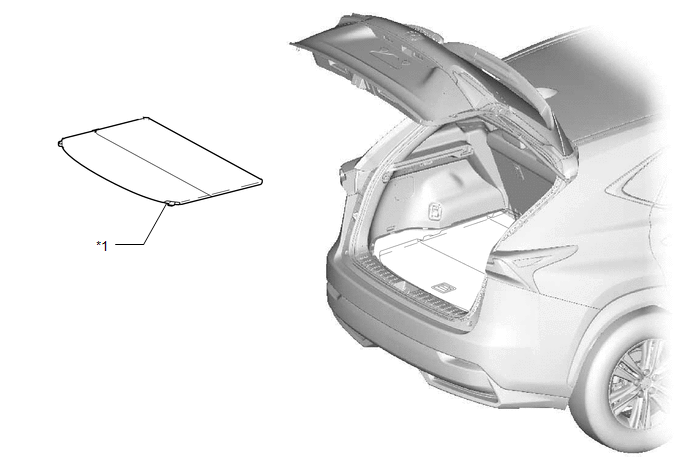
| *1 | TONNEAU COVER ASSEMBLY | - | - |
ILLUSTRATION
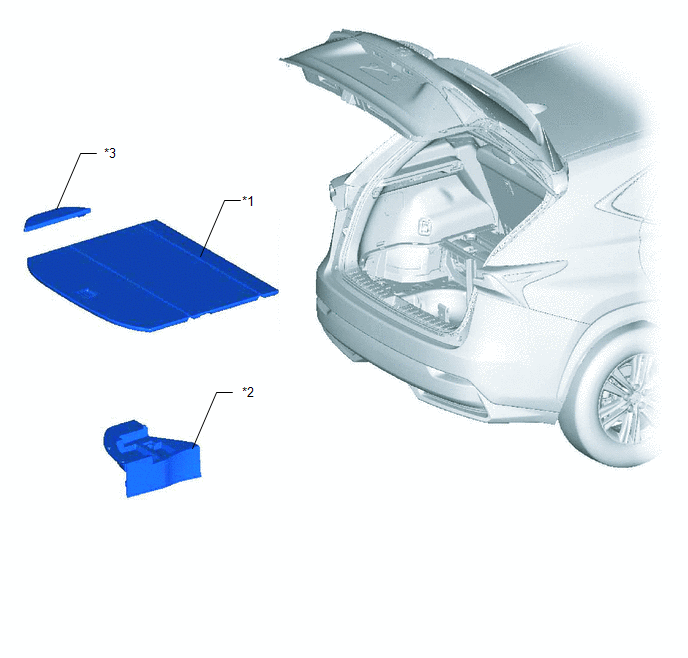
| *1 | DECK BOARD ASSEMBLY | *2 | DECK FLOOR BOX LH |
| *3 | NO. 3 DECK BOARD SUB-ASSEMBLY | - | - |
ILLUSTRATION
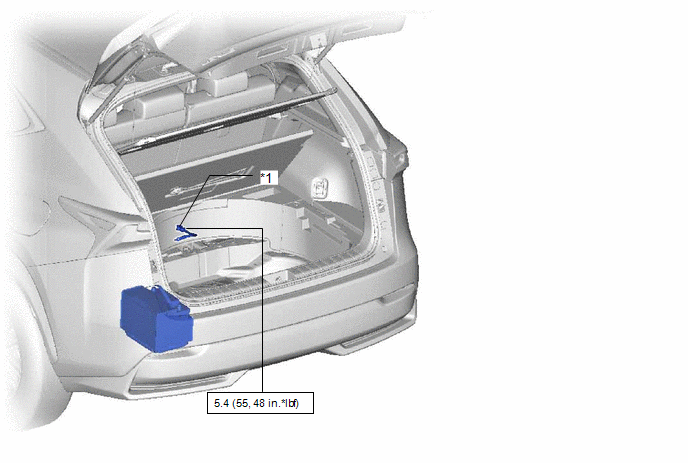
| *1 | NEGATIVE AUXILIARY BATTERY TERMINAL | - | - |
.png) | N*m (kgf*cm, ft.*lbf): Specified torque | - | - |
ILLUSTRATION
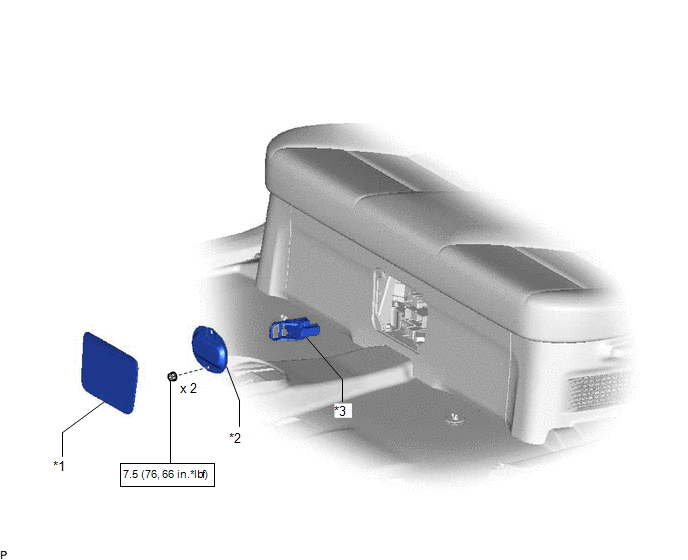
| *1 | BATTERY SERVICE HOLE COVER | *2 | HYBRID BATTERY SERVICE PLUG COVER |
| *3 | SERVICE PLUG GRIP | - | - |
| | N*m (kgf*cm, ft.*lbf): Specified torque | - | - |
ILLUSTRATION
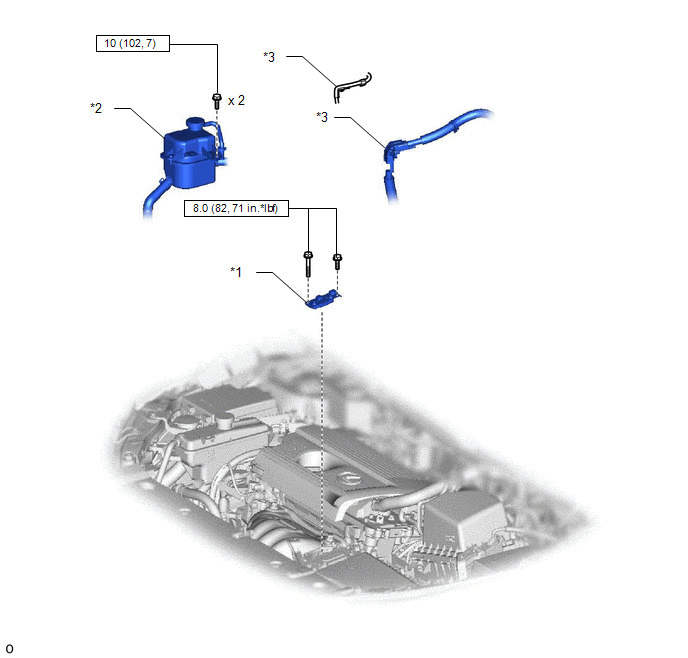
| *1 | CONNECTOR COVER ASSEMBLY | *2 | INVERTER RESERVE TANK ASSEMBLY |
| *3 | WIRE HARNESS | - | - |
| | N*m (kgf*cm, ft.*lbf): Specified torque | - | - |
ILLUSTRATION
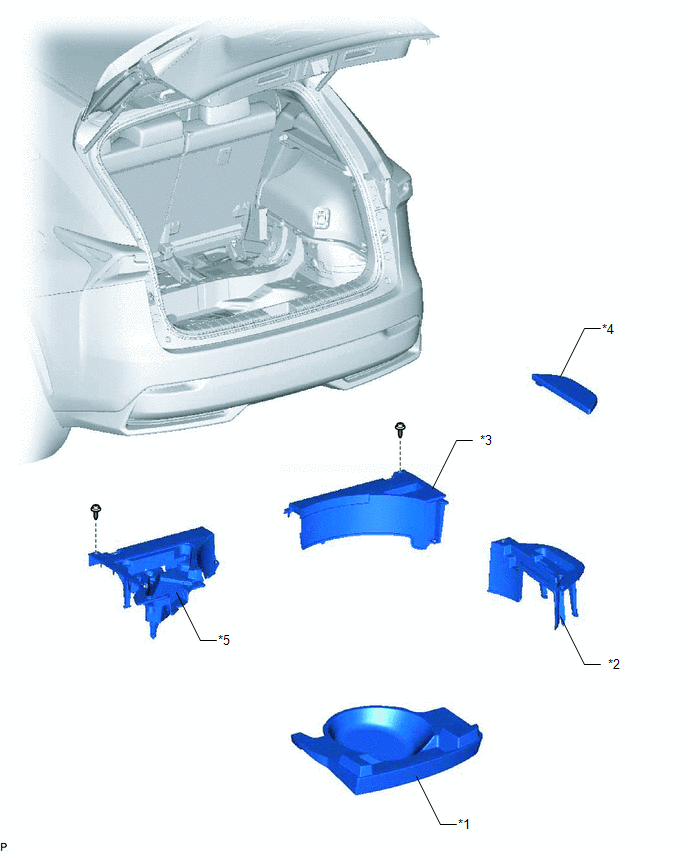
| *1 | REAR DECK FLOOR BOX | *2 | DECK FLOOR BOX RH |
| *3 | NO. 1 TOOL BOX SUB-ASSEMBLY | *4 | NO. 2 DECK BOARD SUB-ASSEMBLY |
| *5 | NO. 2 TOOL BOX SUB-ASSEMBLY | - | - |
ILLUSTRATION
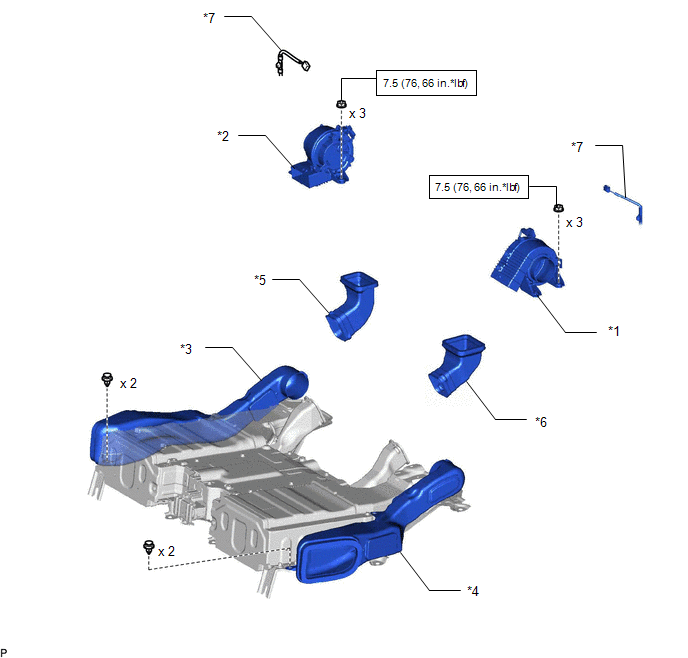
| *1 | BATTERY COOLING BLOWER ASSEMBLY LH | *2 | BATTERY COOLING BLOWER ASSEMBLY RH |
| *3 | NO. 1 HYBRID BATTERY INTAKE DUCT | *4 | NO. 2 HYBRID BATTERY INTAKE DUCT |
| *5 | NO. 3 HYBRID BATTERY EXHAUST DUCT | *6 | NO. 4 HYBRID BATTERY EXHAUST DUCT |
| *7 | BATTERY COOLING BLOWER HARNESS | - | - |
| | N*m (kgf*cm, ft.*lbf): Specified torque | - | - |
READ NEXT:
 Removal
REMOVAL PROCEDURE 1. PRECAUTION Click here 2. CHECK FOR DTC (a) Check for DTCs. Click here NOTICE: Confirm that P0AA6 (Hybrid Battery Voltage System Isolation Fault) is not output before removing
Installation
INSTALLATION PROCEDURE 1. INSTALL BATTERY COOLING BLOWER ASSEMBLY LH CAUTION: Wear insulated gloves and use insulated tools. (a) Install the battery cooling blower assembly LH with the 3 nuts. Torque:
SEE MORE:
Components
COMPONENTS ILLUSTRATION *1 DECK FLOOR BOX LH *2 NO. 3 DECK BOARD SUB-ASSEMBLY *3 REAR DECK FLOOR BOX *4 NEGATIVE AUXILIARY BATTERY TERMINAL N*m (kgf*cm, ft.*lbf): Specified torque - - ILLUSTRATION *A for 8 Inch *B for 10.3 Inch *1 AIR CONDITIONING CO
Reverse Signal Circuit between Radio Receiver Assembly and Navigation ECU
DESCRIPTION This circuit includes the navigation ECU and radio and display receiver assembly. WIRING DIAGRAM PROCEDURE 1. CHECK HARNESS AND CONNECTOR (RADIO RECEIVER ASSEMBLY - NAVIGATION ECU) (a) Disconnect the I153 radio receiver assembly connector. (b) Disconnect the I173 navigation ECU
