
Lexus NX: Inspection
INSPECTION
PROCEDURE
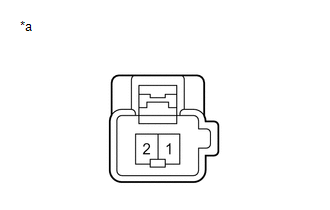
1. INSPECT LUMBAR SUPPORT ADJUSTER ASSEMBLY LH
| (a) Check the operation of the lumbar support adjuster assembly LH. (1) Apply auxiliary battery voltage to the lumbar support adjuster assembly LH connector, and check that the lumbar support adjuster assembly LH operates smoothly as follows. OK:
If the result is not as specified, replace the lumbar support adjuster assembly LH. |
|
READ NEXT:
 Installation
INSTALLATION CAUTION / NOTICE / HINT CAUTION: Wear protective gloves. Sharp areas on the parts may injure your hands. PROCEDURE 1. INSTALL LUMBAR SUPPORT ADJUSTER ASSEMBLY LH (a) Attach the 2 hooks to
Components
COMPONENTS ILLUSTRATION *1 FRONT LOWER SEAT CUSHION SHIELD *2 FRONT LUMBAR POWER SEAT SWITCH *3 FRONT POWER SEAT SWITCH LH *4 FRONT SEAT CUSHION SHIELD LH *5 POWER SEAT SWITC
SEE MORE:
Reassembly
REASSEMBLY PROCEDURE 1. INSTALL NUT (a) Install the 2 nuts. 2. INSTALL RADIATOR GRILLE EMBLEM (a) Attach the claw and guide to install the radiator grille emblem. (b) Install the 2 screws. 3. INSTALL NO. 3 RADIATOR GRILLE GARNISH (a) Attach the 4 claws to install the
Dtc Check / Clear
DTC CHECK / CLEAR DTC CHECK/CLEAR (a) Check for DTCs. (1) Connect the Techstream to the DLC3. (2) Turn the power switch on (IG). (3) Turn the Techstream on. (4) Read the DTCs following the prompts on the Techstream screen. Enter the following menus: Chassis / ABS/VSC/TRAC / Trouble Codes. Chassis &g
© 2016-2026 Copyright www.lexunx.com
