
Lexus NX: Parts Location
Lexus NX Service Manual / Engine & Hybrid System / Cruise Control / Front Radar Sensor System / Parts Location
PARTS LOCATION
ILLUSTRATION
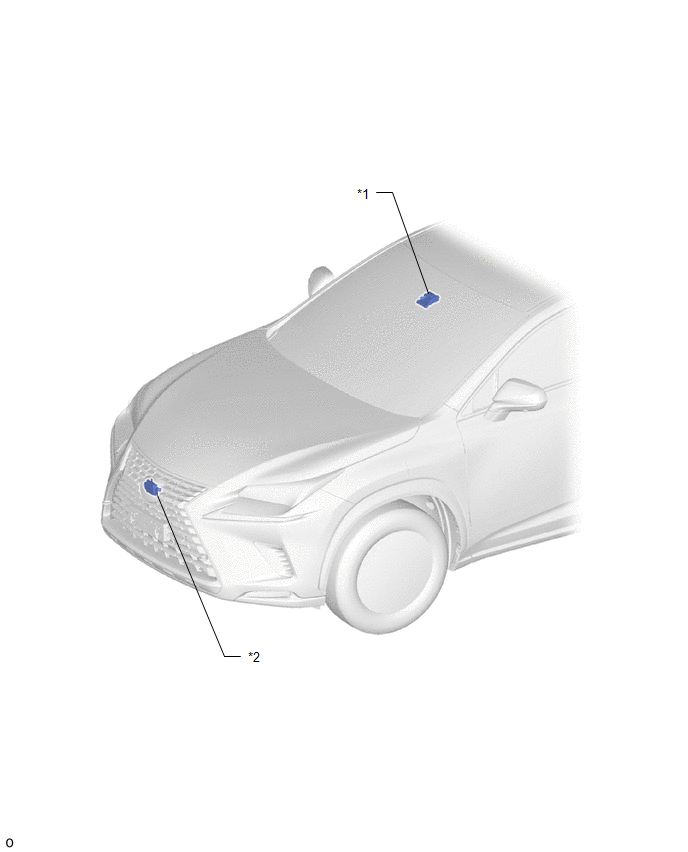
| *1 | FORWARD RECOGNITION CAMERA | *2 | MILLIMETER WAVE RADAR SENSOR ASSEMBLY |
ILLUSTRATION
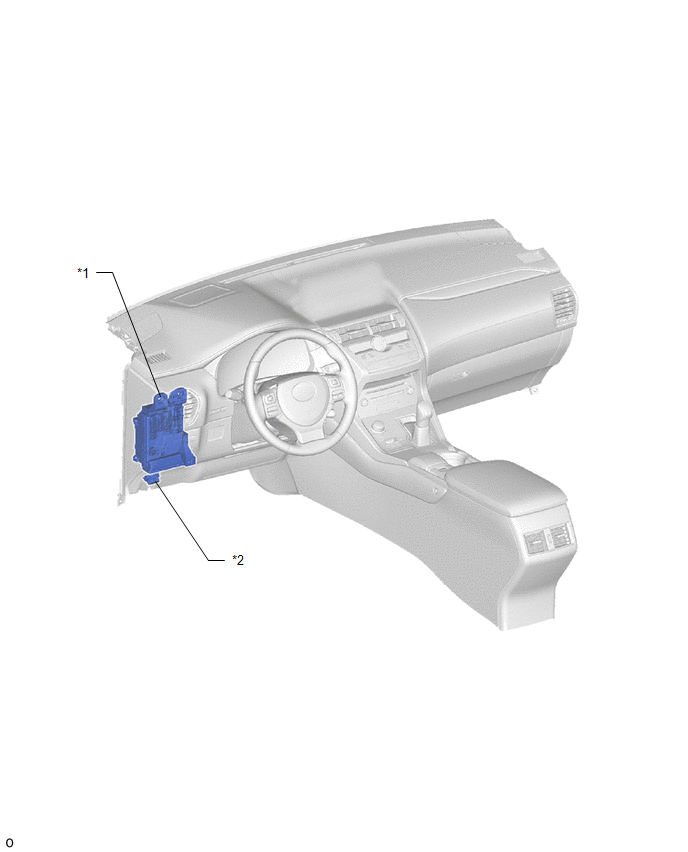
| *1 | INSTRUMENT PANEL JUNCTION BLOCK ASSEMBLY - ECU-IG NO.2 FUSE | *2 | DLC3 |
READ NEXT:
 System Diagram
SYSTEM DIAGRAM SYSTEM DIAGRAM LOCAL CAN CIRCUIT
How To Proceed With Troubleshooting
CAUTION / NOTICE / HINT HINT:
Before performing troubleshooting for the front radar sensor system, perform troubleshooting for the pre-collision system.
Click here
*: Use the Techstream.
PRO
Utility
UTILITY NOTICE:
When replacing the millimeter wave radar sensor assembly, always replace it with a new one. If a millimeter wave radar sensor assembly which was installed to another vehicle is used
SEE MORE:
Installation
INSTALLATION CAUTION / NOTICE / HINT HINT:
Use the same procedure for the RH and LH sides.
The procedure described below is for the LH side.
PROCEDURE 1. INSTALL HEADLIGHT ASSEMBLY LH (a) Connect the connector and lock the connector lock lever. *a Connector Lock Lever Connect th
Internal Control Module A/D Processing Performance (P060B)
MONITOR DESCRIPTION This DTC is stored when a communication error occurs in the ECM. DTC No. Detection Item DTC Detection Condition Trouble Area MIL Memory P060B Internal Control Module A/D Processing Performance An ECM main CPU communication error (1 trip detection logic).
© 2016-2026 Copyright www.lexunx.com
